
Most AI tools give you a chatbot. Rundock gives you a team.

Run a team of named agents from one visual workspace, no terminal needed. The whole team is plain files you own.

Free for macOS and Windows. All download options.

Rundock is free. Bring your own Claude Pro or Max subscription; add a ChatGPT plan if you want specialists on Codex.

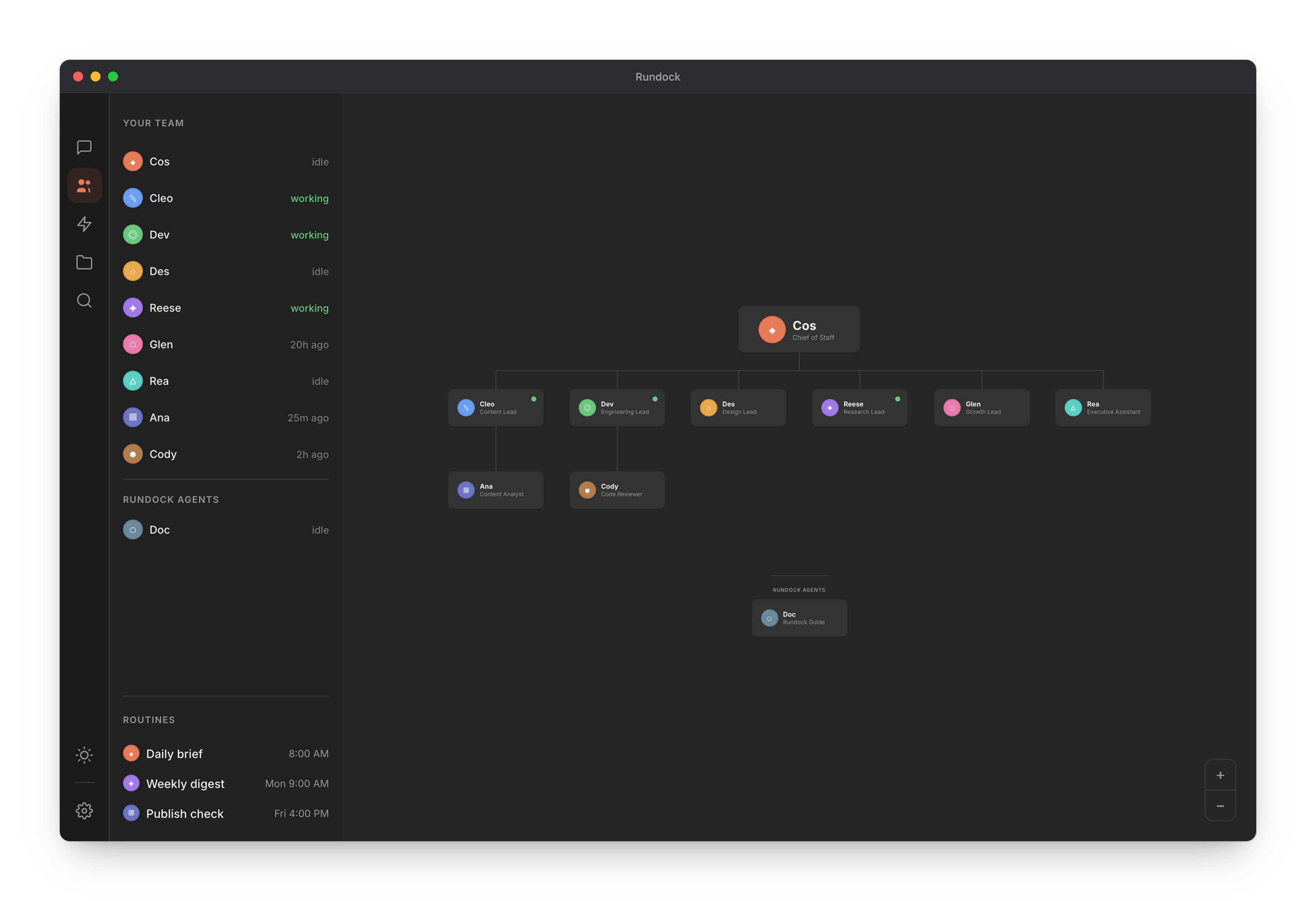
Rundock showing an example agent team as an org chart. A Chief of Staff sits at the top with the team reporting in below, a Rundock Guide agent, live team status down the left sidebar, and scheduled routines at the bottom.

Free download

Want a pre-built team to get you started?

The Lean Agent Team gives you a Chief of Staff, an EA, and a Content Lead: three agents ready to install today.

Download the Lean Agent Team

Free · No account required · Works in Rundock out of the box

You're doing the work of five people.

You run content, ops, sales, admin, and research. When you started, there was nobody else, so the work fell to you. You are the CEO and the copywriter and the person who remembers to send the invoice. Your working week is full of work that isn't yours to be doing.

Existing AI tools haven't solved this. A single chatbot is a single assistant. You still have to hold the context, remember the process, and redo the work each time. Agent platforms built for developers assume you can write code. You shouldn't have to. Rundock gives you a team you can actually manage.

Every agent on your org chart has a profile.

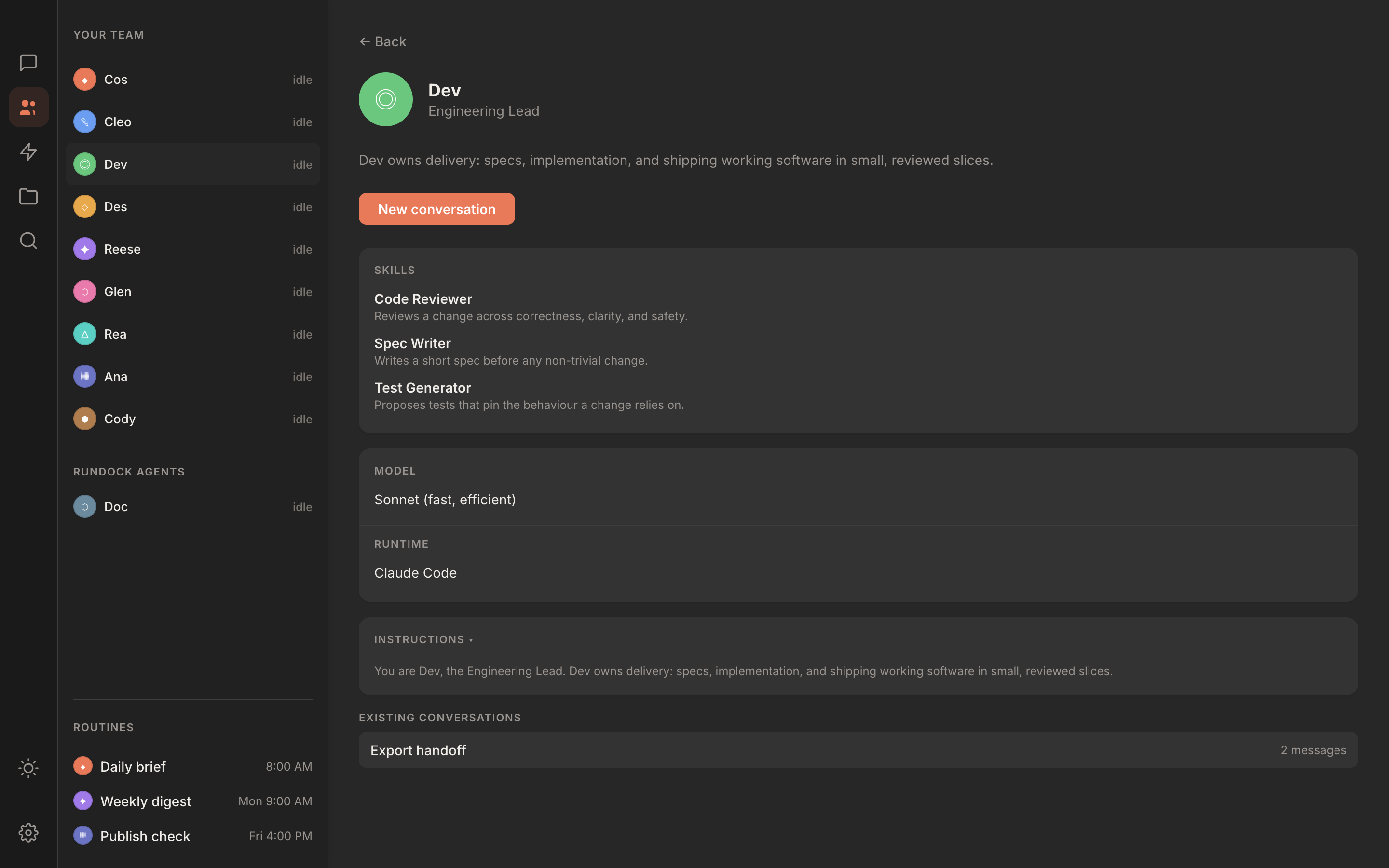
Click into any agent. Role, skills, model, runtime, and instructions in one place, with every conversation you have had with them.

Rundock agent profile for an Engineering Lead, showing the role description, three attached skills, the model and runtime, the editable instructions, and past conversations.

Talk to one. They route the rest.

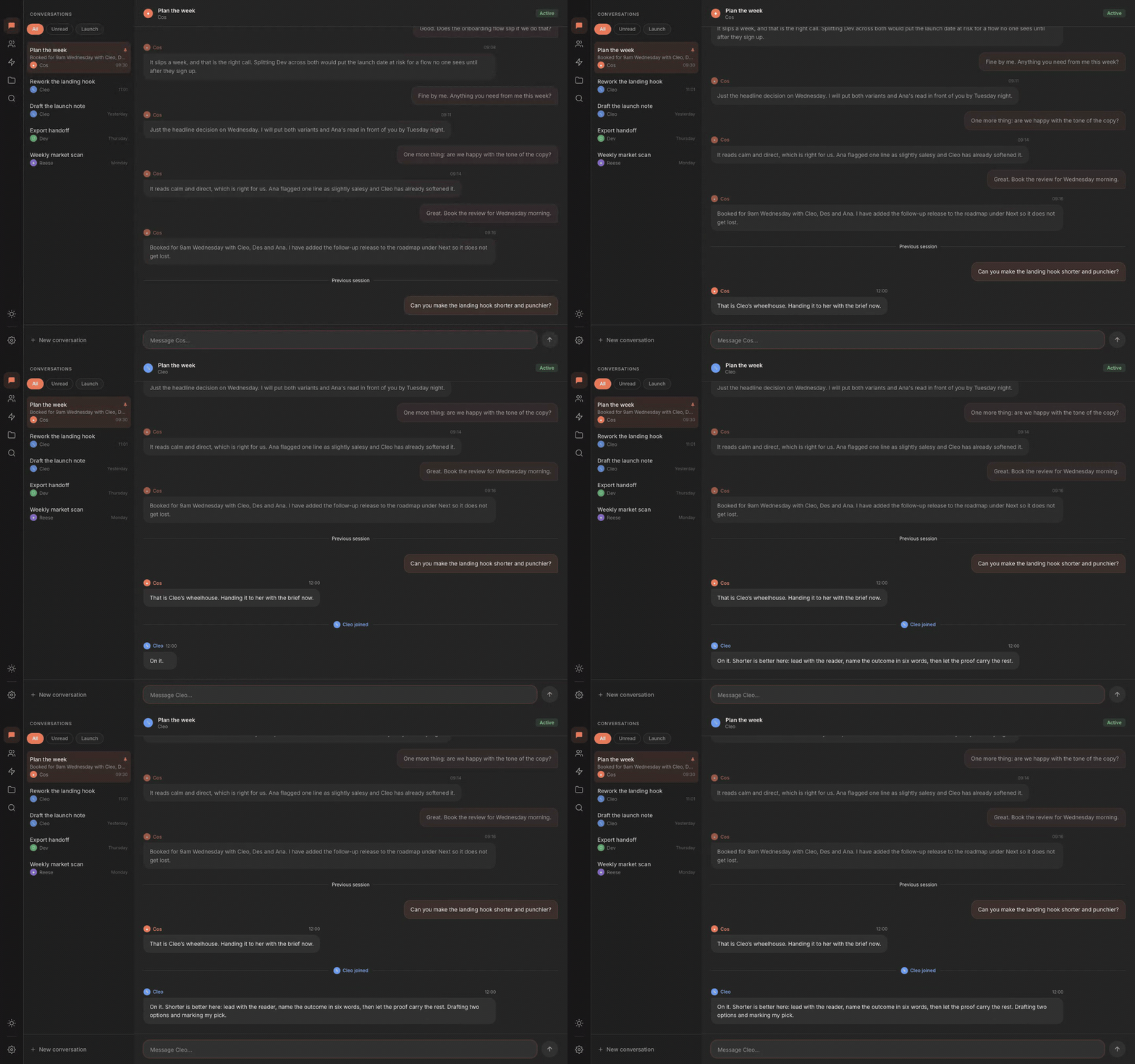
Run conversations with several agents in parallel. Ask your strategist a question while your writer drafts in the background. Replies stream in as each agent thinks, and they delegate to each other mid-conversation when the task calls for it.

Rundock conversation with a specialist agent replying in real time, the answer streaming in line by line as the agent works.

Your skills, attached to the agents who use them.

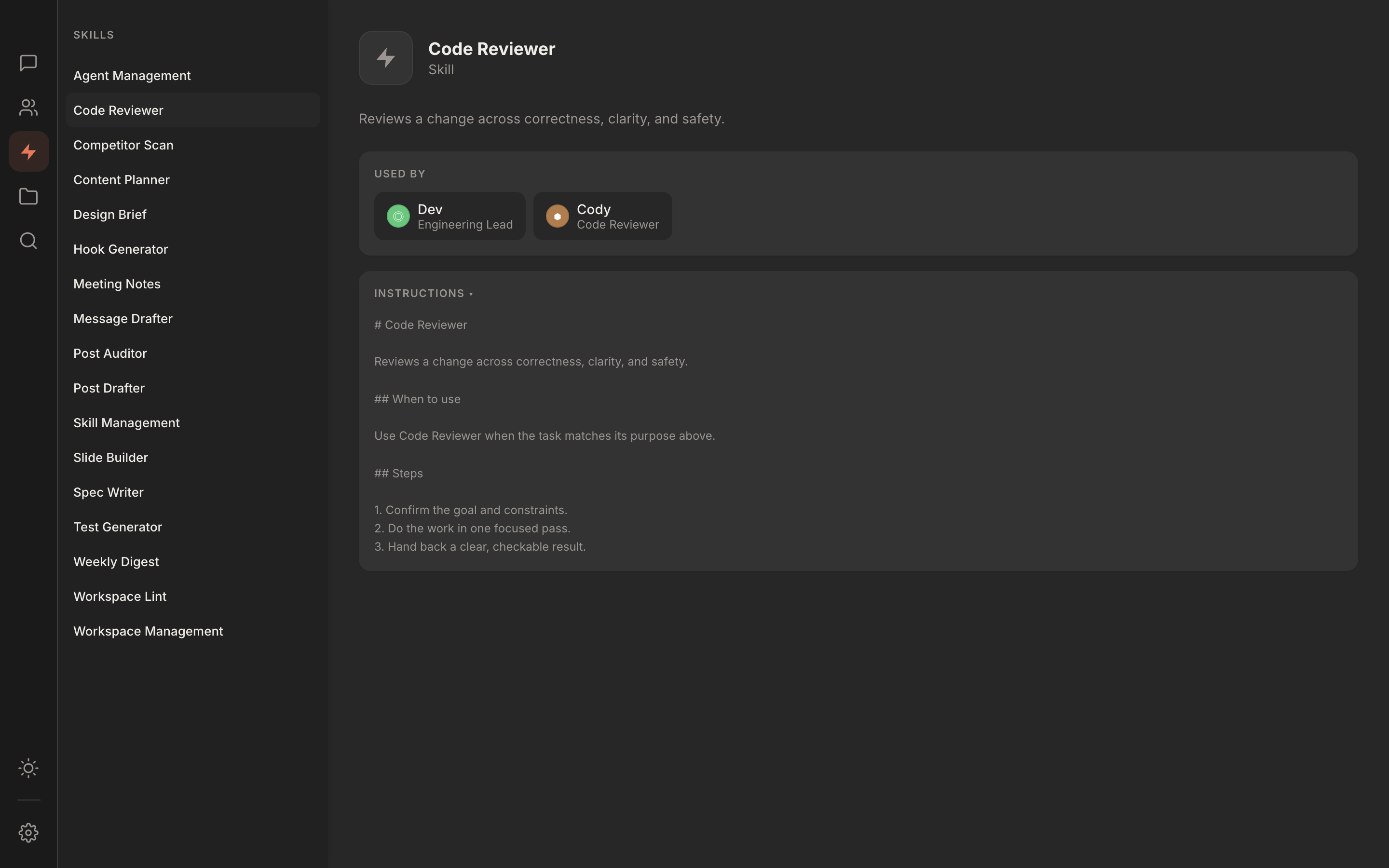
Each agent has specialised skills: research workflows, writing processes, analysis frameworks. See the full map of who can do what.

Rundock skills view showing the list of workspace skills with one skill open, its description, and the agents it is attached to.

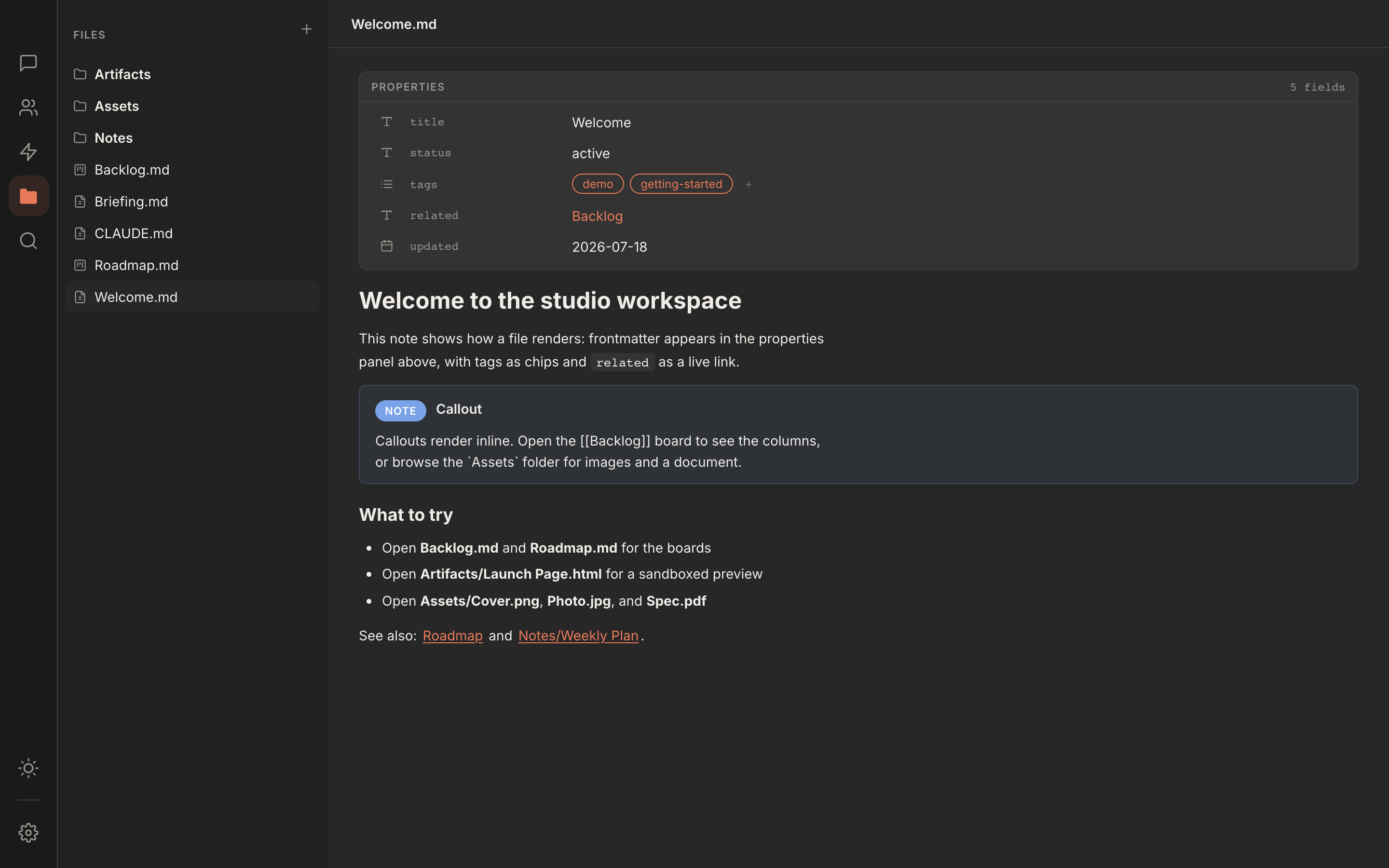
Any file your agents touch, shown the way you expect.

Open a note in an editor that formats as you type, with tables, callouts, and clickable wikilinks. Open an HTML or SVG file and see the real rendered page, not its source. Open an image or a PDF and read it in place. Edit a file's properties without touching raw YAML. It is your workspace, shown the way you would expect to see it.

Rundock showing a markdown note in the editor, with a properties panel above it listing title, status, tags as chips, and a linked related note, and a coloured callout rendered inline below.

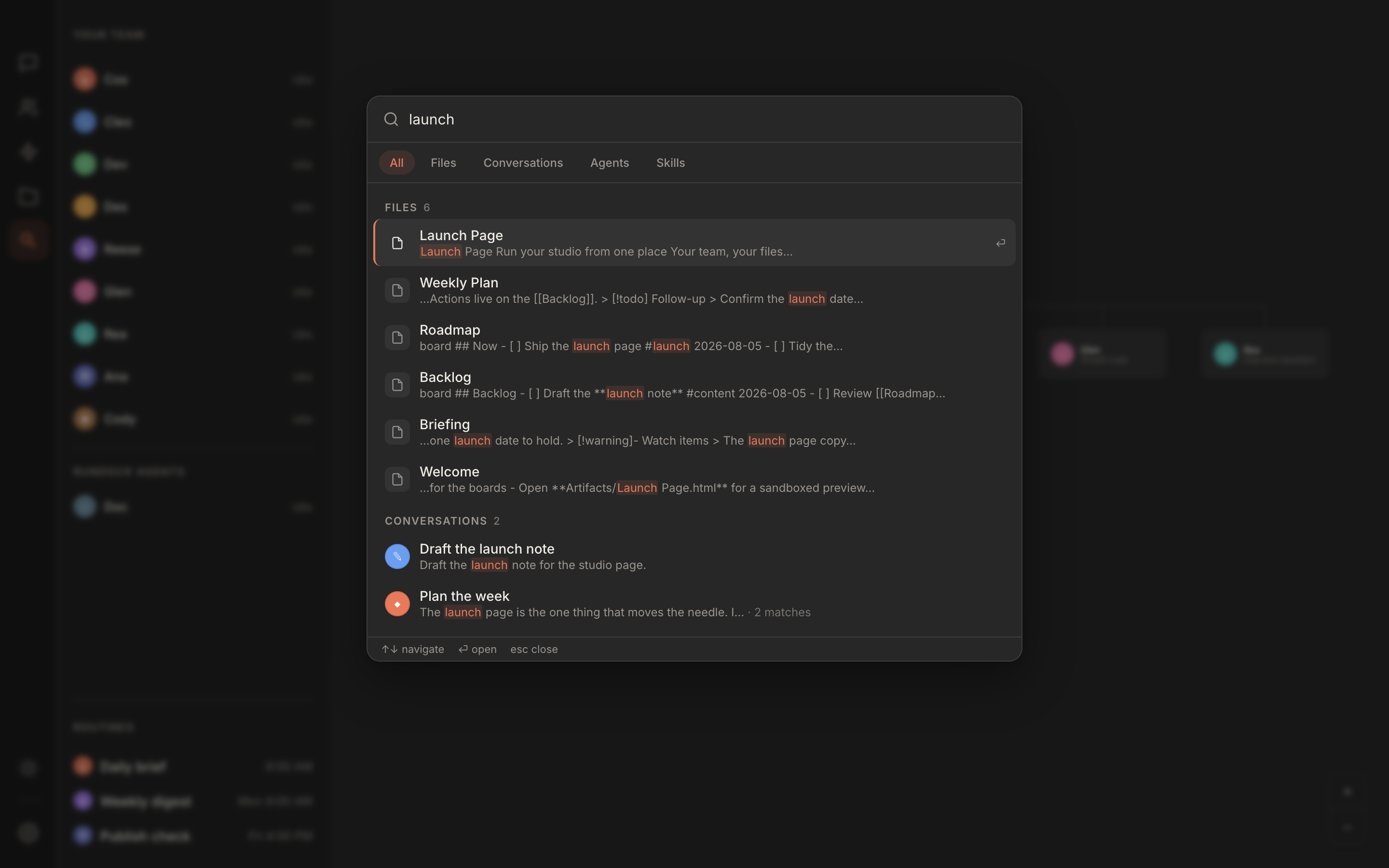
One shortcut finds everything you have.

Press Cmd+K and search across every file, every conversation, and every agent and skill at once. Type part of a word and it still finds the match. Pick a result and it opens at the right place, scrolling a conversation straight to the message you were looking for.

Rundock universal search palette open over the app, showing results for a query grouped into files and conversations with the matching word highlighted in each result.

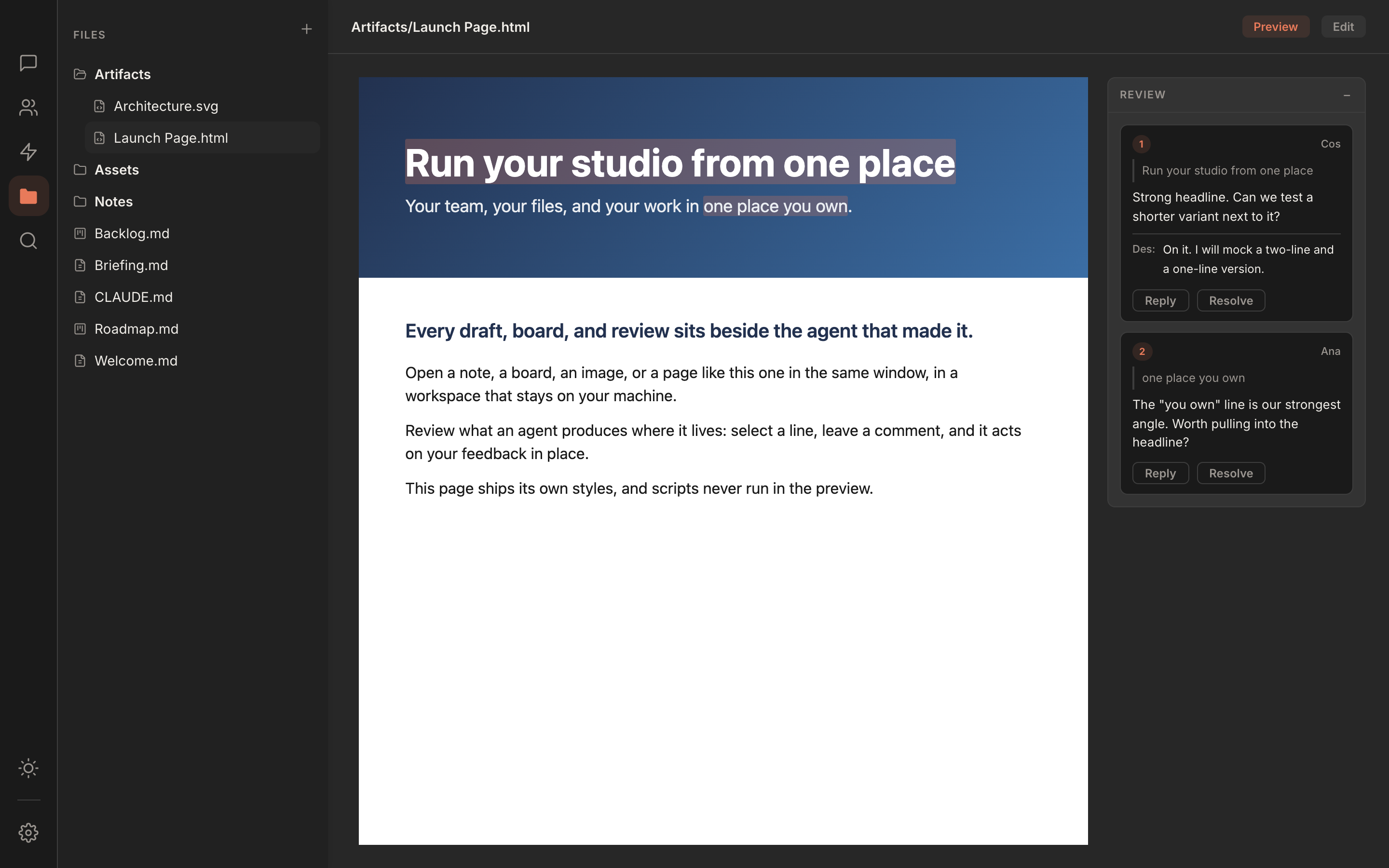
Review your agent's work where it lives.

Select any passage in a file an agent produced and leave a comment. The agent reads it, proposes an edit inline, and you accept or reject with a click. The feedback lives in the file as plain text you can read in any editor, so nothing is locked inside Rundock.

Rundock showing an HTML page rendered in the main panel with a review sidebar beside it holding threaded review comments with reply and resolve controls.

Your boards open as real columns.

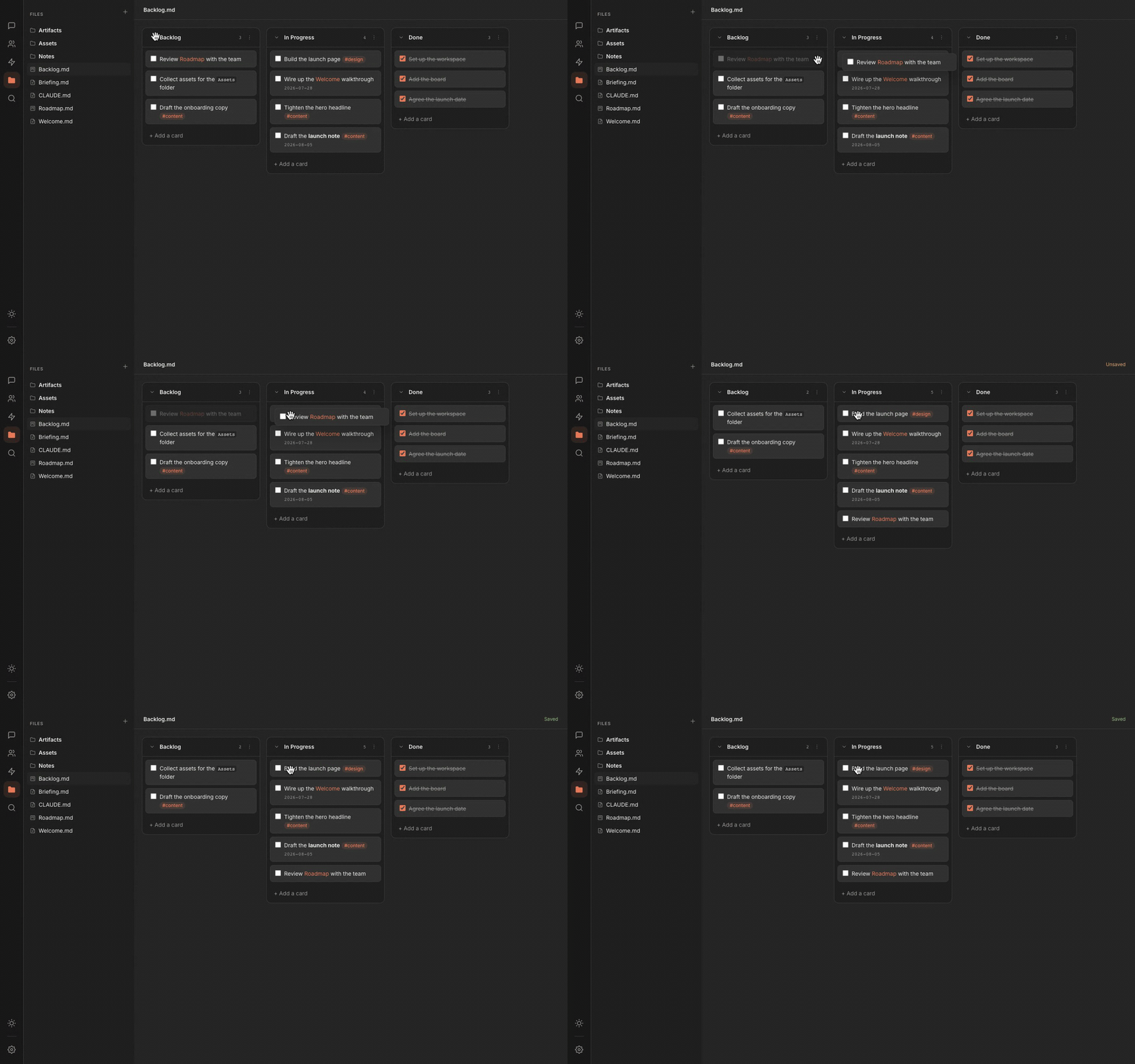
A Kanban board in your workspace opens as a real column board. Drag cards, tick them off, rename and reorder columns. It writes back the same markdown Obsidian uses, so the same board edits cleanly in both.

Rundock showing a Kanban board with several columns and a card being dragged from one column to another.

The org chart shapes itself around your business.

Every team is different. Your org chart matches what you actually do.

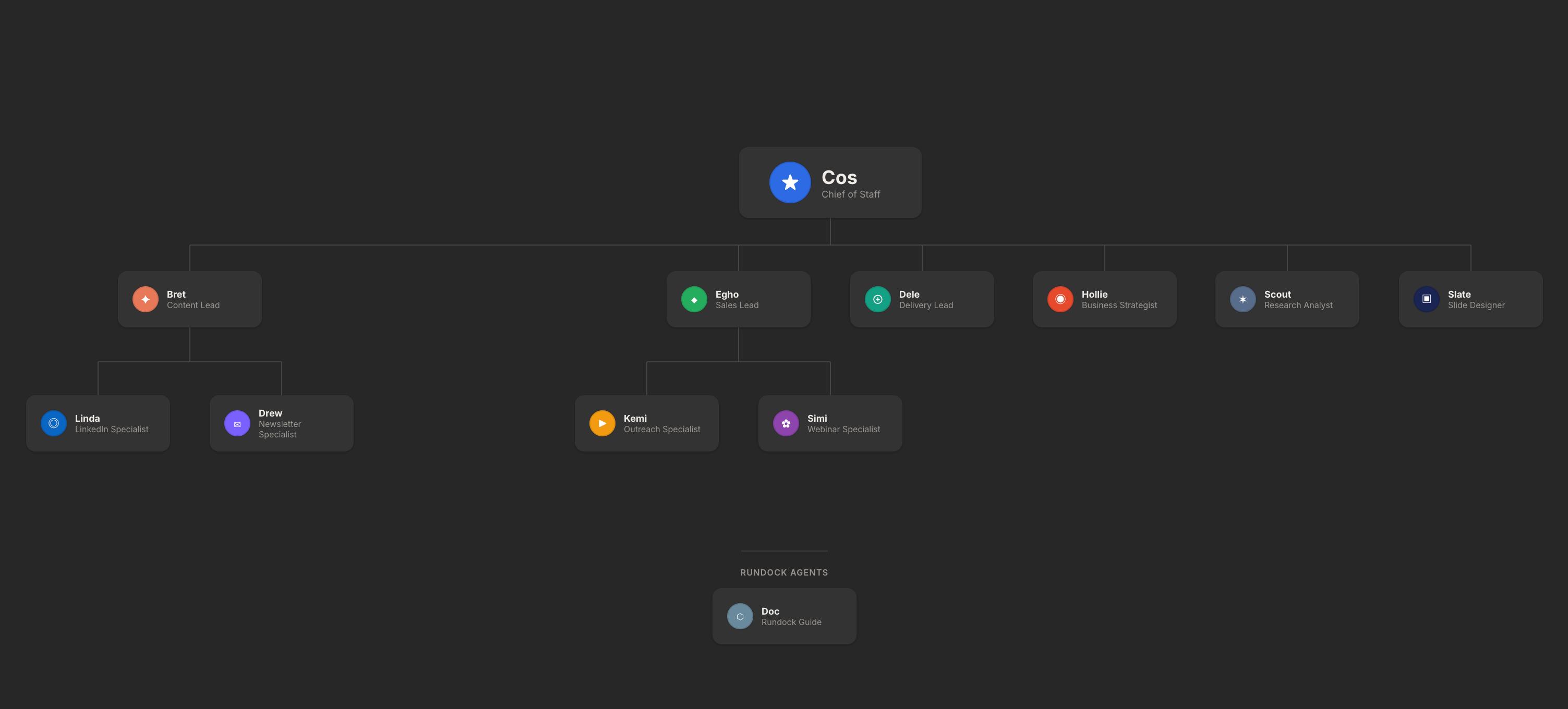
Rundock org chart for a consulting business: multi-level hierarchy with content, sales, delivery, and research leads
A consulting business A multi-level team with content, sales, delivery, and research leads, each with their own specialists.
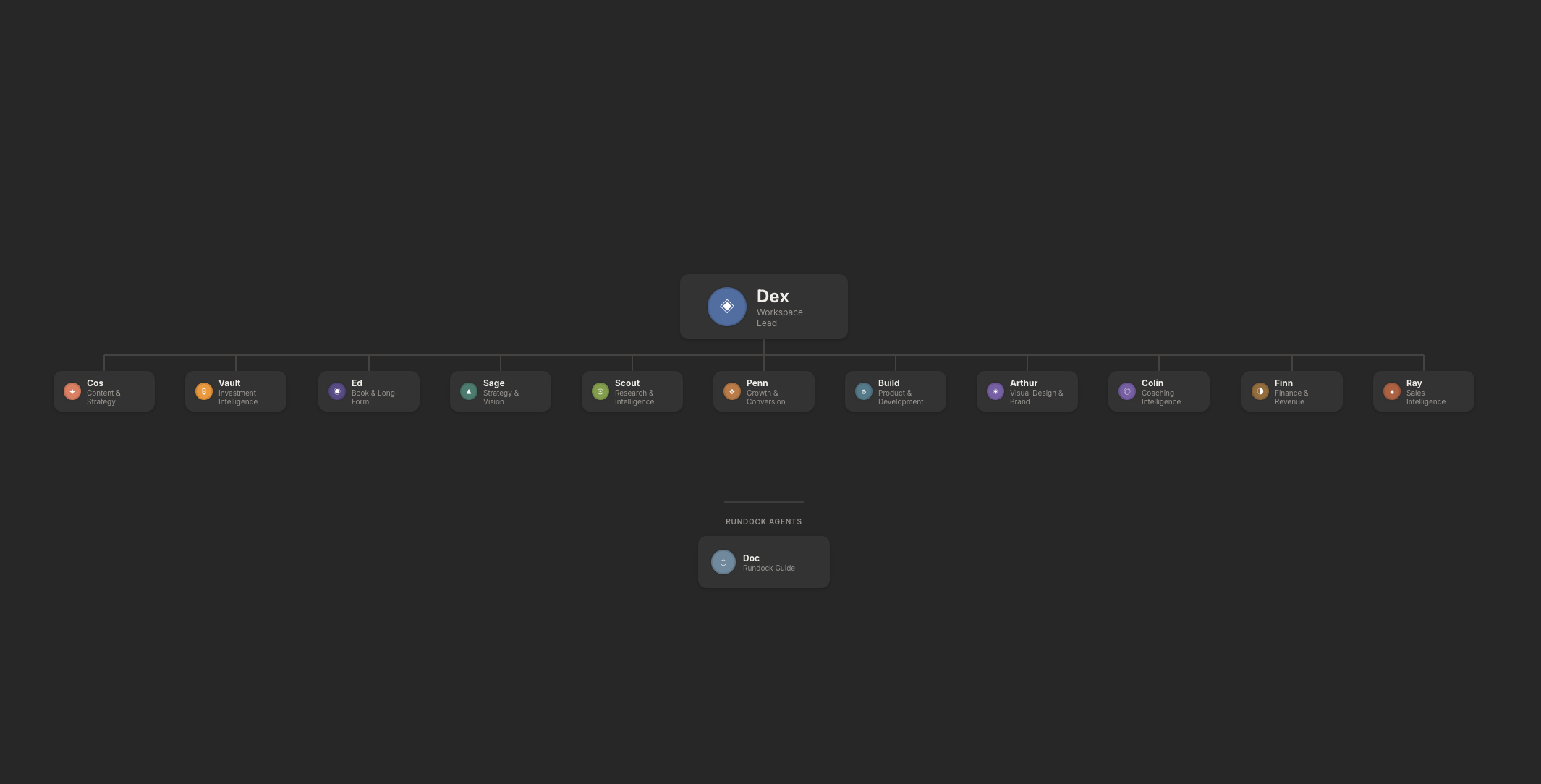
Rundock org chart for a coaching business: eleven-agent team covering content, strategy, coaching, finance, sales, design, and product
A coaching business An eleven-strong team covering content, strategy, coaching, finance, sales, design, and product.
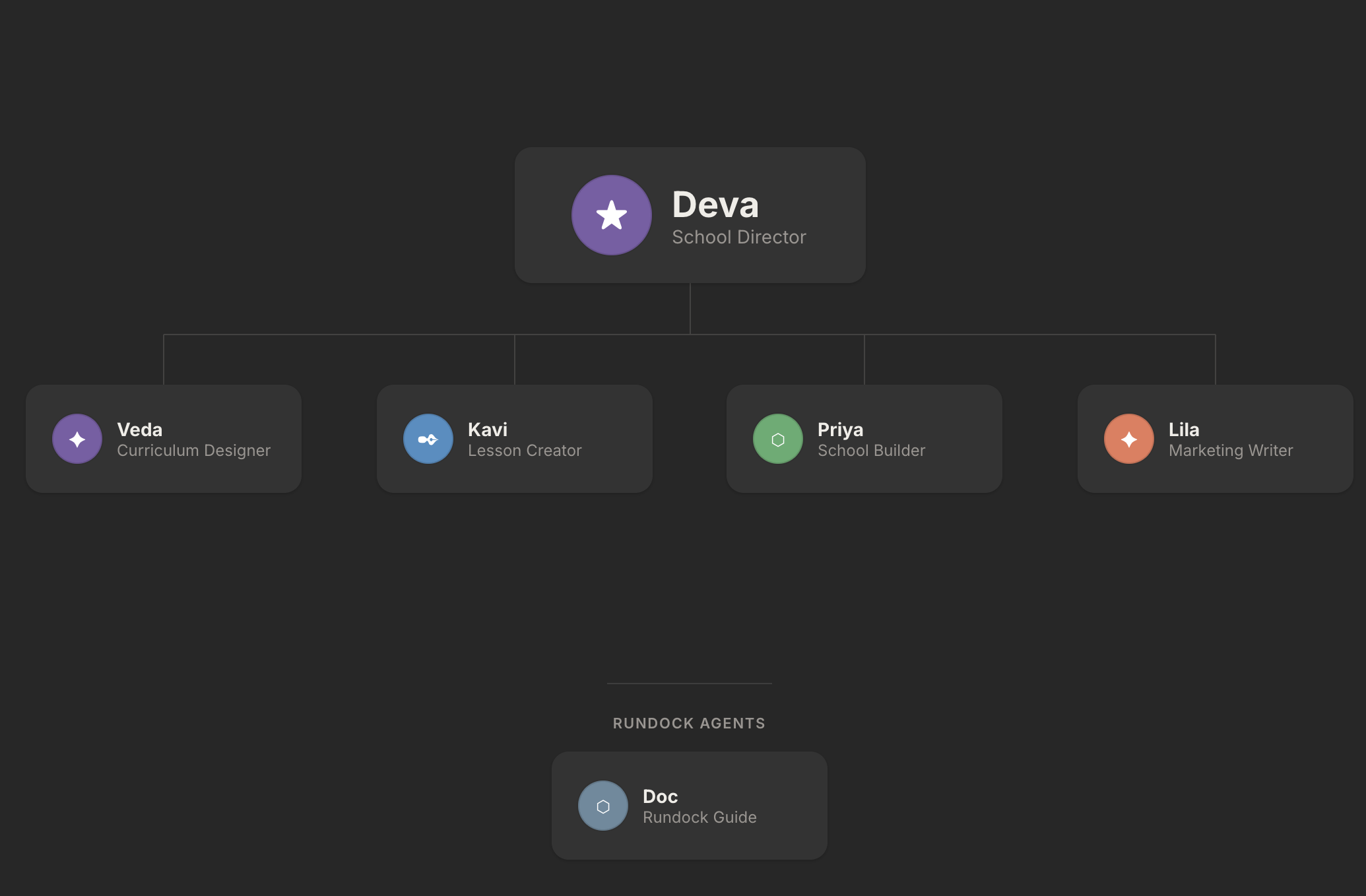
Rundock org chart for a school: school director with four specialists running curriculum, lesson creation, and marketing
A school A school director and four specialists running curriculum, lesson creation, and marketing.

"I was wearing every hat.
So I built a team that wears them with me."

Liam Darmody, founder of Rundock

Liam Darmody

Product advisor, executive coach, AI builder

Before Rundock, I was running five things at once. Content, clients, marketing, research, admin. Posts were going up later than I wanted. Client work was eating into evenings. Research I had meant to read had been sitting unopened for weeks. There was only one of me, and the maths had stopped working.

I started building Rundock because my first child was on the way and time was about to compress. I needed more output from the same hours. So I tried as many AI tools as I could. They were either too complicated or just gave me one assistant. What I needed was a team. The day a beta user sent me a screenshot of his own org chart, I knew the metaphor had clicked. This was closer to hiring people than to chatting with a model.

Today, I still work most days. The difference is what I am doing in those hours. Cos has the morning briefing waiting. Penn has hooks and a draft for me to push back on. Arlo's weekly digest lands on Saturday whether I open it or not. I am the editor and the orchestrator, not the bottleneck. That is what Rundock is for.


Get The Agent Kit, free Take the AI Readiness Scorecard How I help businesses build their AI systems

What people are saying

Rundock removed the intimidation of Claude Code. You stop thinking in coding terms and start thinking in team terms. It's like having your own virtual team of highly paid experts, running in parallel. I've built my entire business DNA in the box.
James Compton
James Compton Founder, Limitless Coaching
My previous AI stack was advanced but not cohesive. Every tool had its own context. With Rundock the context is shared, but each agent keeps their skills. I think of an agent I need and I build, hire, create. I see this running my entire business. This is a true operating system.
Patrick Giwa
Patrick Giwa Founder, AI Impact

Your data never leaves your computer.

The entire stack runs on your machine. Rundock never sends your files, your agents, or your conversations anywhere.

Browser or app

Visual interface for your agent team. Org chart, conversations, and workspace files.

Local server

Discovers agents, manages conversations, reads your workspace files.

Two runtimes

Agents run on Claude Code, and optionally Codex. Only the active conversation is sent for processing, to Anthropic or OpenAI, under your own subscription.

Free, open source, and yours to keep.

Three facts, stated plainly, with no asterisk.

Free.

The desktop app costs nothing to download and nothing to run. That's the product. The whole thing.

Open source.

Fork it, audit it, learn from it. One restriction: you cannot use the source to build a competing product.

No account.

No signup. No email. No telemetry. Your workspace stays on your machine. Rundock has no idea you're using it.

And it stays yours. Your agents and skills are plain markdown files. Take them with you whenever you like.

Something you talk to, or something you run.

Rundock runs your team on Claude Code. Here's the short version of how it compares to Claude's own tools.

Claude Claude Cowork Claude Code Rundock
Holds the context? The conversation holds it. A new chat starts fresh. Preferences persist. Each task starts from the brief you give it. Config files hold it. Durable, but hidden by default. Your vault is the shared, visible state. It persists.
Price checked July 2026 Free to start. Pro from about $20/mo for more usage. Needs a paid plan (Pro or Max). Included in Pro or Max. Optional metered API beyond your limits. Free and open source. Runs on your Claude Pro or Max plan, so no extra cost.
Best for Quick questions and everyday help. Handing off a defined task for a finished result. Developers who want a capable agent in their workflow. Running a team of agents you can see and manage, no code.

The layer that stays yours as the models change.

Already tried agents in the terminal? Rundock gives you the same power with an org chart you can see and delegation you can watch, running your team across Claude Code and Codex.

Rundock is more than a front end. It is a runtime-agnostic orchestration layer: the control plane that catches each request, routes it to the right specialist, hands context between agents, and keeps the team coordinated. The execution engine underneath is pluggable, Claude Code and Codex today, more later. Because your team is plain markdown you own, the same team runs on whichever engine you choose, switchable without a rebuild. When any one model gets commoditised, the layer you built on top is the part that lasts.

Get started.

You don't need to write code. You need Claude Code and a folder to call your workspace.

Free for macOS and Windows. All download options.

01

Install Claude Code

Rundock runs on top of Claude Code. Install it first. Once set up, specialists can also run on a ChatGPT plan via the official Codex CLI. Requires a Claude Pro ($20/mo) or Max ($100/mo) subscription.

02

Download Rundock

One file. Open it and it runs. Available for macOS and Windows. See the download page for every option.

03

Choose a workspace

Point Rundock at any folder on your computer. That folder becomes your workspace. Your agents, files, and conversations live there.

04

Build your team

Doc, your platform agent, walks you through building your first agents. Named, configured, and ready to work in under ten minutes.

Common questions

What does Rundock cost?

Rundock is free. You will need a Claude Pro ($20/mo) or Max ($100/mo) subscription for the AI processing, since Rundock runs on top of Claude Code. Add a ChatGPT plan if you want specialist agents on Codex too. That is the total cost.

What if I am not technical?

If you can describe what you want, Rundock can build it. You will spend more time naming your agents than writing code. Doc, the built-in platform agent, walks you through setup and builds your first agents with you.

Why not just use Claude Code?

Claude Code is one engine, and it ties your team to a single provider. Rundock runs the same team across Claude Code and Codex, and lets you move between them without rebuilding. You keep the org chart, the coordination, and the files you own. When a better engine comes along, your team is ready to run on it.

Where does my data live?

On your machine. Rundock runs locally and never sends your files, agents, or conversations anywhere. Only the active conversation is sent for processing: to Anthropic via Claude Code, or to OpenAI via Codex if you run specialists on your ChatGPT plan.

Can I bring my context from ChatGPT, Notion, or Claude?

Your workspace is plain markdown files. If you have notes elsewhere, copy them into your workspace and your agents can read them straight away. No import tool, no migration step.

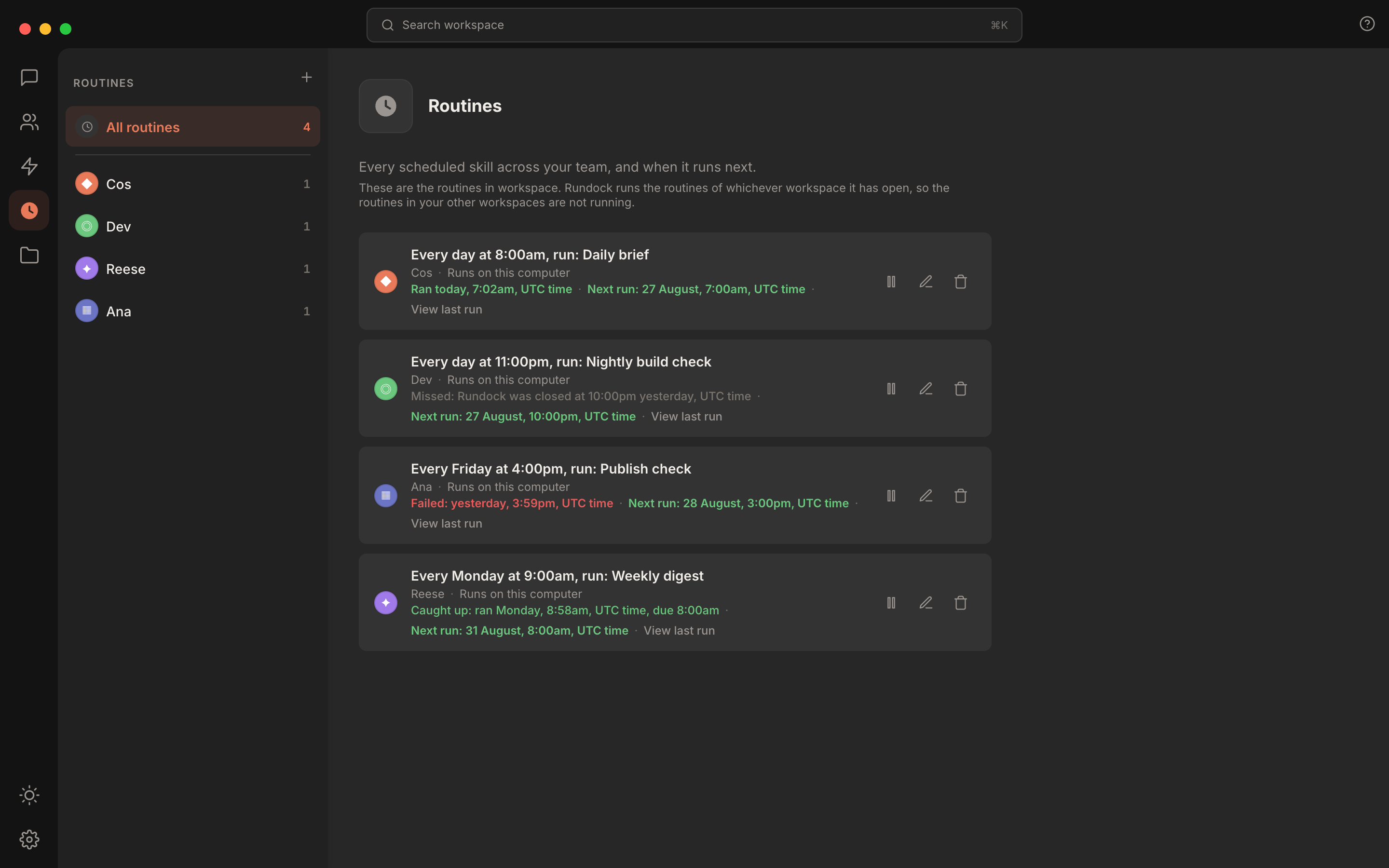
Can my agents work on a schedule?

Yes. Set up routines so your team runs on its own. The weekly research digest, the Monday content review, the overnight email triage. Pick the schedule, walk away, get the output when it is ready.

What if Rundock stops being maintained?

Your workspace is yours. Agents and skills are markdown files you own. The code is open source. Worst case, you keep using whatever version works on your machine, or fork it, or take your agents to any tool that supports the Claude agent format.

How long until I am up and running?

Around an evening. Install Claude Code (10 minutes). Download Rundock and pick a workspace folder (5 minutes). Talk to Doc and let him build your first three agents (30 to 60 minutes). You are running.

Stay close.

Join my newsletter and get instant access to The Agent Kit. A ten-minute setup, a directory of starter packs, my visual cheat sheet, and the server stack I run my own team on. Free.

Sign up at liamdarmody.com/agents